The Regional Transport Office RTO handles all services related to vehicle registration and license. Finding vehicle information has become incredibly easy these days. RTO Vehicle Information, you can find out the details of any vehicle just by looking at its registration number.
If you’re planning to buy a used car, check the vehicle’s details. Also, make sure the vehicle doesn’t have any pending challans, car loans, or stolen documents.
Vehicle Related Services
Vehicle Registration
One click for all the vehicle related citizen services
Fancy Number Allocation
Your favorite number for your favorite vehicle
National Permit
Seamless online way for vehicle permits
eChallan System
A paperless trail for managing Traffic Enforcement Online.
Vahan Green Sewa
Take the Eco-Friendly way with new automotive fuels
PUCC
MoRTH’s endeavor to Limit vehicular emissions
What is RTO Vehicle Information?
RTO Vehicle Information provides the following information about any registered vehicle:
- Vehicle Owner Information
- Vehicle Registration Date
- Engine and Chassis Number
- Fuel Type (CNG / Petrol / Diesel / Electric)
- Insurance Details
- PUCC Details
- Fitness Certificate
- Pending Challan Information
Why is RTO vehicle information important?
- Check vehicle owner’s name
- Check vehicle registration date and vehicle age
- Check vehicle class, insurance validity, PUCC validity, etc.
- Regarding legal disputes and accidents involving the vehicle
- Necessary when transferring vehicle ownership.
How to Check RTO Vehicle Information
check your vehicle information very easily, You can check vehicle information on both the Parivahan Portal and the mParivahan App. Both portals are official platforms of the Ministry of Road Transport and Highways.
1. Through the Parivahan Portal (VAHAN) –
- Go to the official website:visit the official Parivahan Portal website.
- Click “Know Your Vehicle Details”: Find the “Know Your Vehicle Details” option under “Information Services” on the homepage.

- Citizen Login: Enter the registered mobile number associated with the vehicle and verify it with the OTP code and click Next.
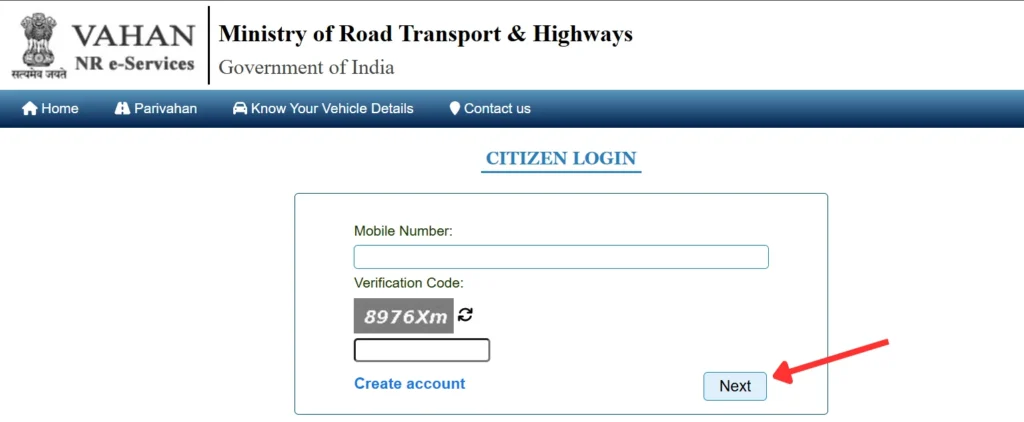
- Show Your Vehicle Details: After logging in, you can view vehicle information here, such as the vehicle owner’s name, registration date, insurance details, etc.
2. Using the mParivahan App-
(i) Download & Open mParivahan: Download the mParivahan App from the Google Play Store (Android) and Apple App Store (iOS) and open the app.
(ii) Register / Login: Enter your mobile number and verify it with an OTP to login.
(iii) Enter vehicle details: After logging in, enter your vehicle number and click the 🔍 Search icon.
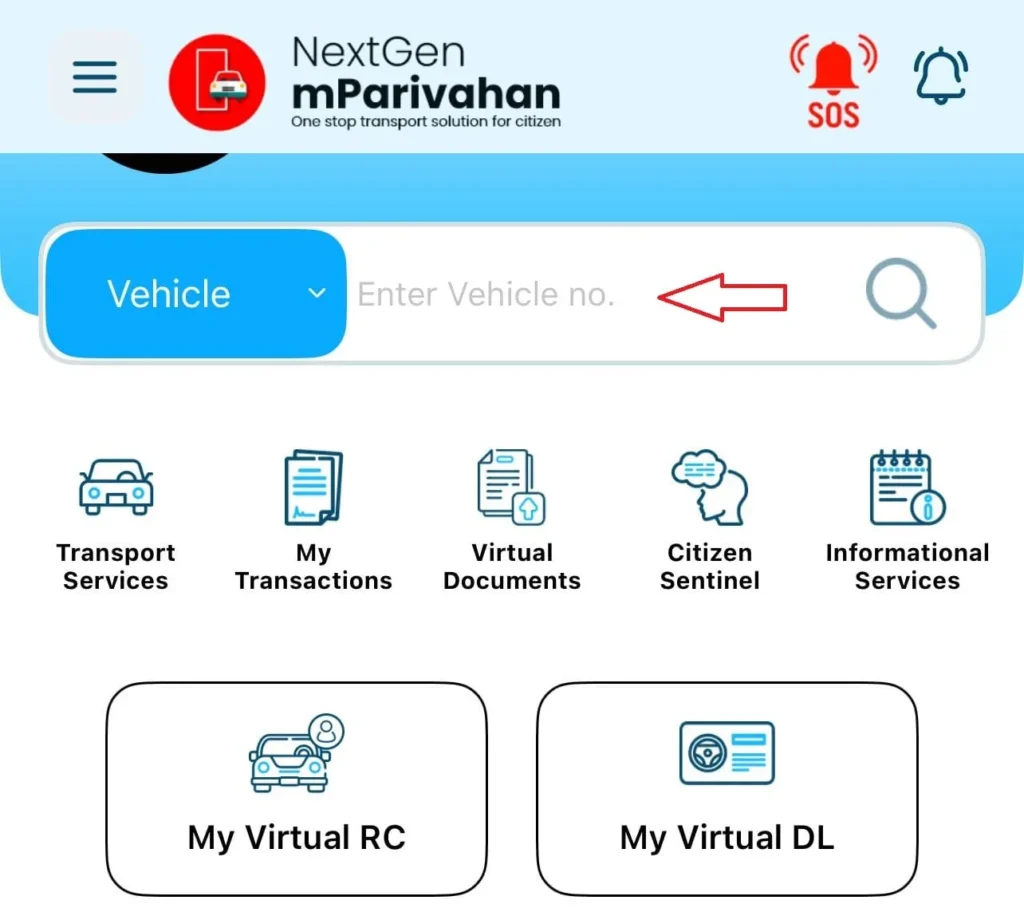
(iv) Now you can get information about your vehicle’s Owner Name, Vehicle Class, Fuel Type, Vehicle Age, Registration Date, Fitness Validity, Insurance Validity, and PUCC Validity.