Do you want to Download a Driving Licence? Whether you are looking for it in PDF format. Driving Licence is an official document issued by the Government of India under the Motor Vehicles Act 1988. Driving Licence is a necessary document to drive on the roads.
Digital Driving Licence can be downloaded through Digilocker, m-parivahan and Sarathi parivahan portal. Digital Licence is legally valid in India. In this article, we will tell you the complete guide to download and print DL.
Ways to Download a Driving Licence
There are three main ways to download your driving license:
- Sarathi Parivahan Portal
- Digilocker
- Download via the m-parivahan mobile app.
Driving license Download via Sarathi Parivahan
- First, visit the official website Sarathi Parivahan.
- Select your state where you want to avail the service.

- Click on “Driving Licence” in the menu. Click on the “Print Driving Licence” option from the dropdown menu.
- You will now be taken to the DL printing page.

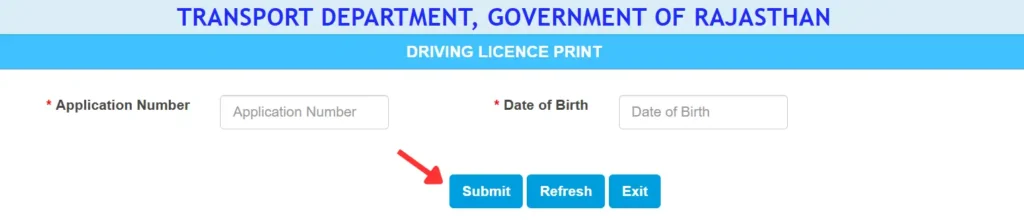
- Enter your Application Number and Date of Birth here and click the Submit button.
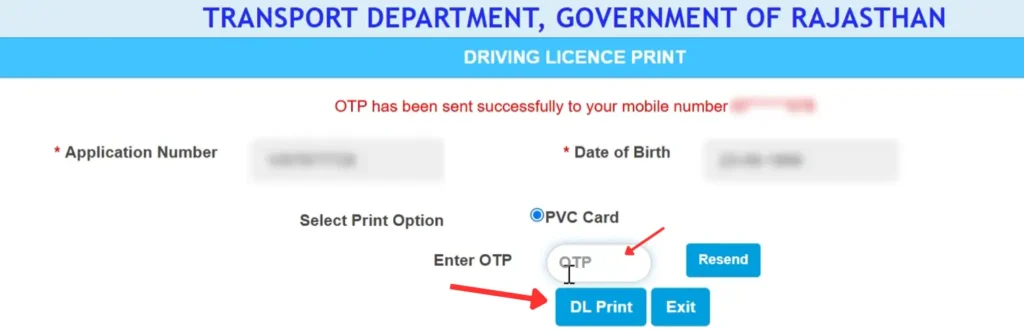
- Now, verify the OTP sent to the mobile number registered in your driving license.
- After this, your driving license will open, click the download button to save it.
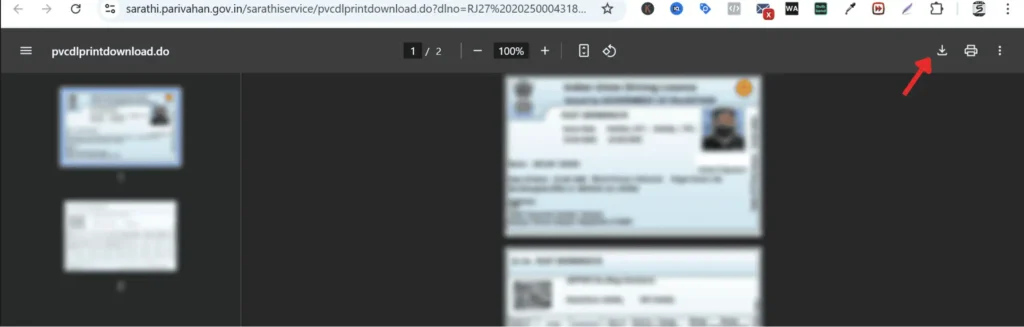
You can print and use your driving license. This printed license is legally valid.
NOTE: To download your Learner’s Licence, visit the Sarathi Parivahan website and click on “Learner’s Licence” on the home page.
Select the “Print Learner’s Licence (Form 3)” option from the dropdown menu. Enter your Application Number, Date of Birth, and the captcha code to download the Licence.
Driving Licence Download via Digilocker
Digilocker is a digital platform launched by the Ministry of Electronics & IT (Meity). It is a secure platform for storing digital documents.
- First, visit the Digilocker website or download the Digilocker App.
- Open the App
- Sign up/Login to Digilocker.
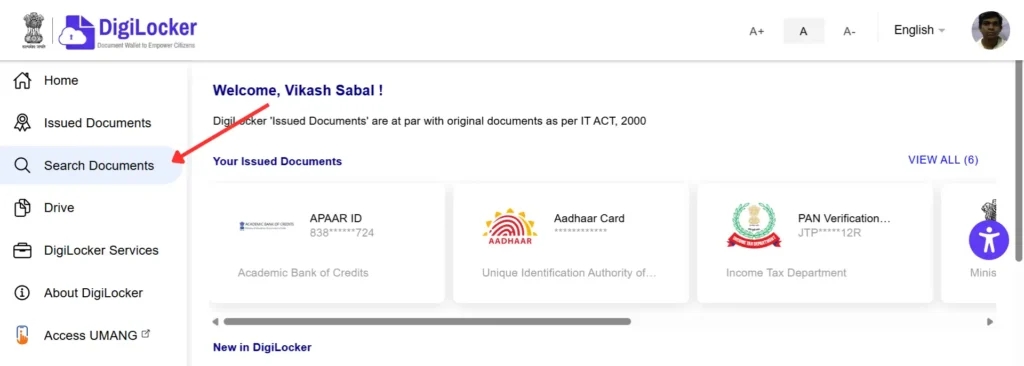
- Now, click on the “Search Documents” menu on the home page.
- Type “Driving License” in the search box and select “Transport Department Rajasthan” from the options.
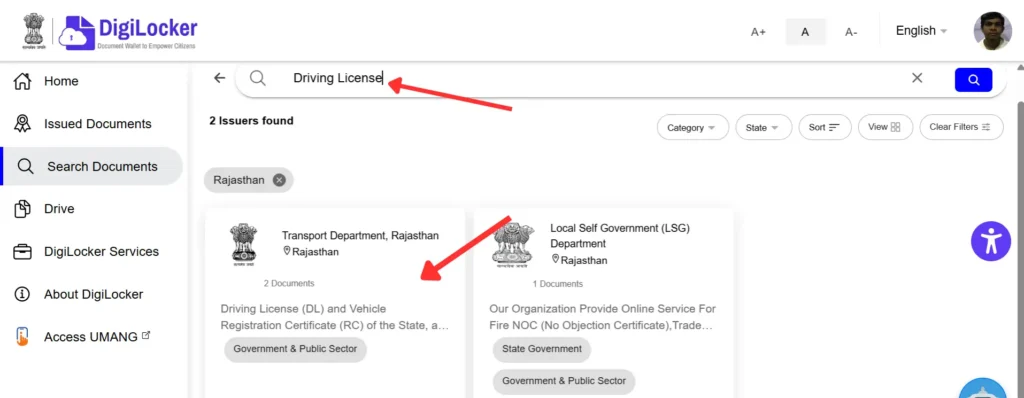
- Name and Date of Birth are autofilled. Enter your Driving Licence No. and click on “Get Document.”
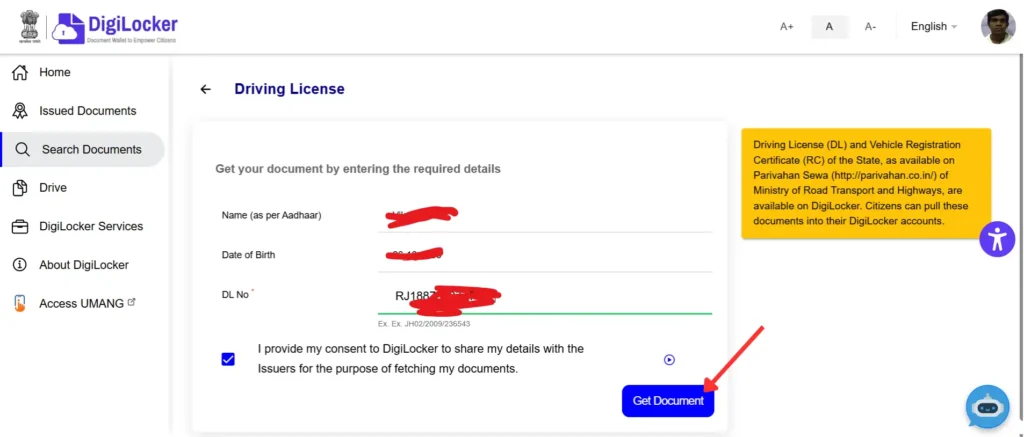
- After this, you can view and download your driving license.
Download DL via the m-parivahan App
Create an account on the m-parivahan
- First, download the NextGen m-parivahan app on your mobile.
- This app is available on the Google Play Store and Apple Store.
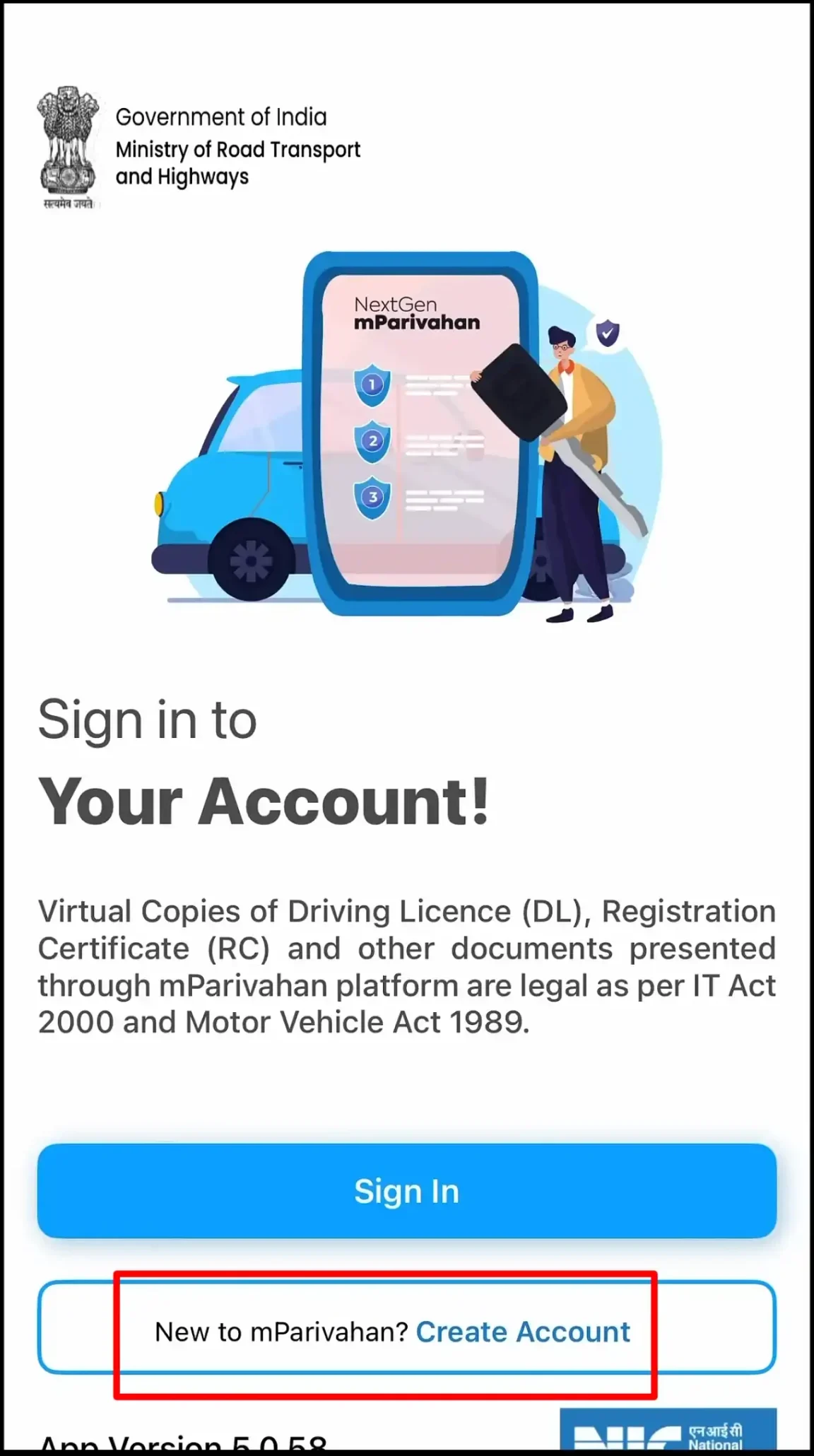
- Open the app. If you don’t have an account, click “New To mParivahan? Create Account” to create an account.
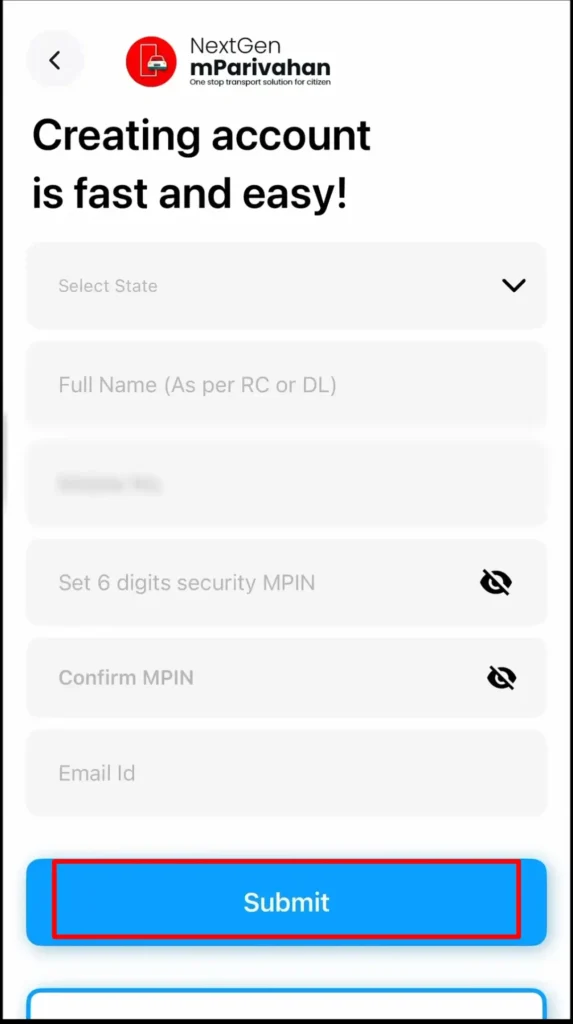
- Enter your personal details: state name, Full Name (As per RC or DL), Mobile Number, Set 6-digit Security MPIN and Email ID.
- After filling in all these details, click the Submit button.
- You will now receive an OTP on your registered mobile number. Verify with the OTP.
- You have now successfully registered on the NextGen mParivahan app.
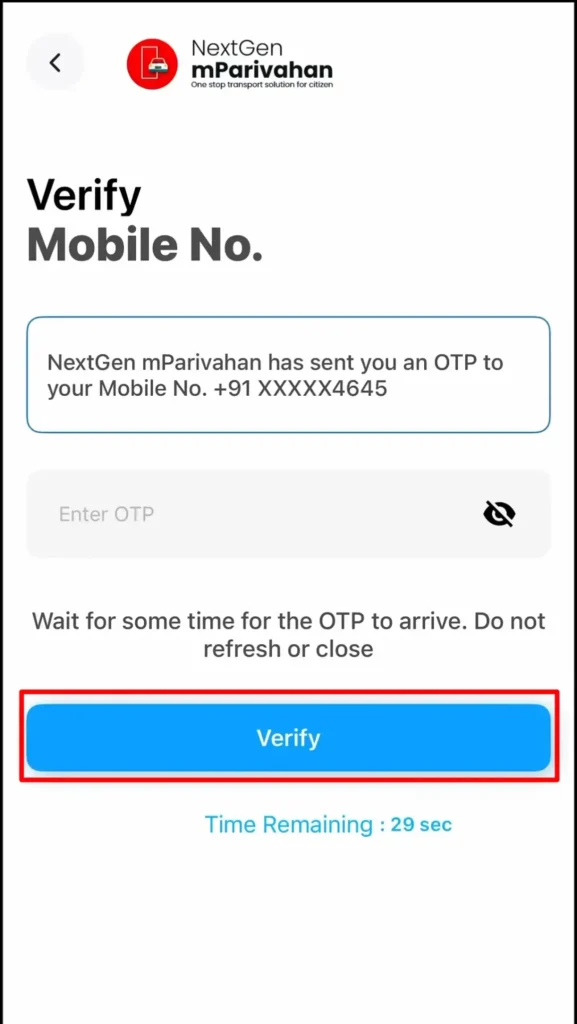
Sign in to the mParivahan app
- Open the mParivahan app.
- To download your driving license, click “My Virtual DL” on the homepage.

- Enter the Driving Licence No. and Date of Birth. Then click on the Add my Driving Licence option.
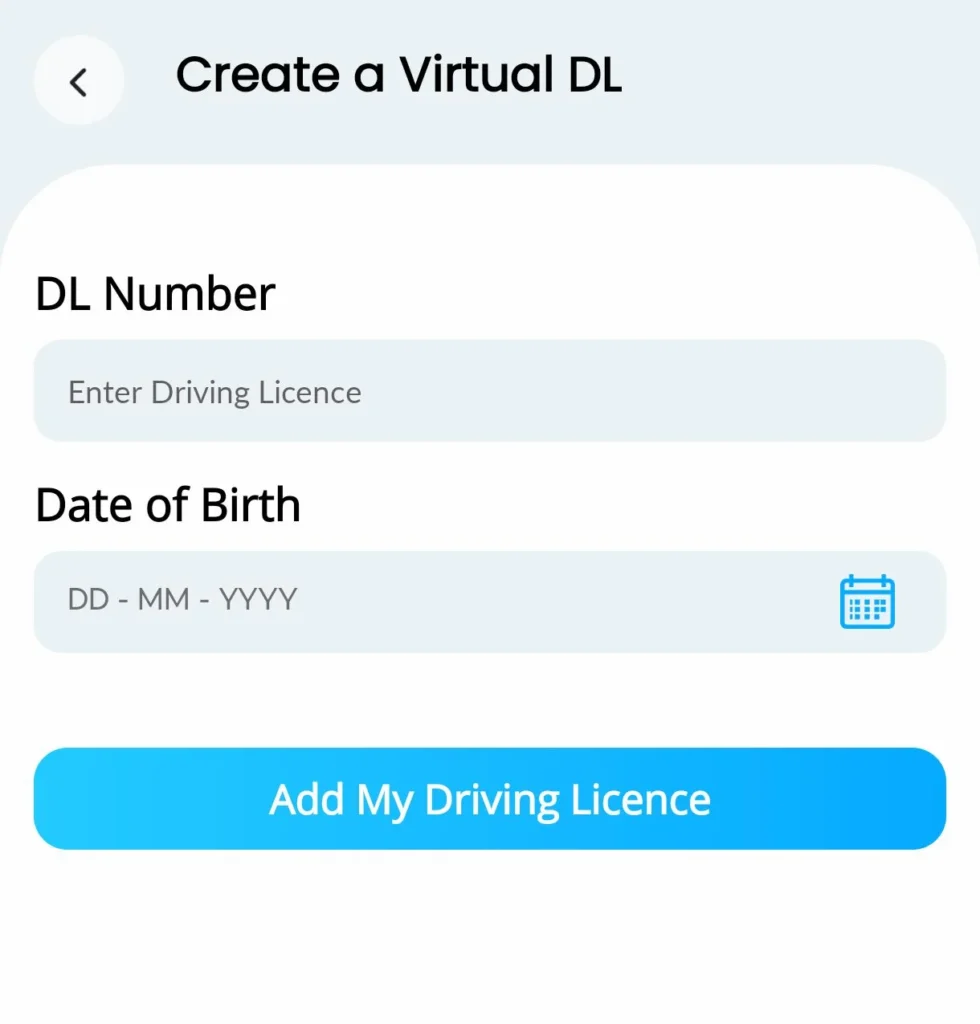
- Now, verify with the OTP sent to your registered mobile number.
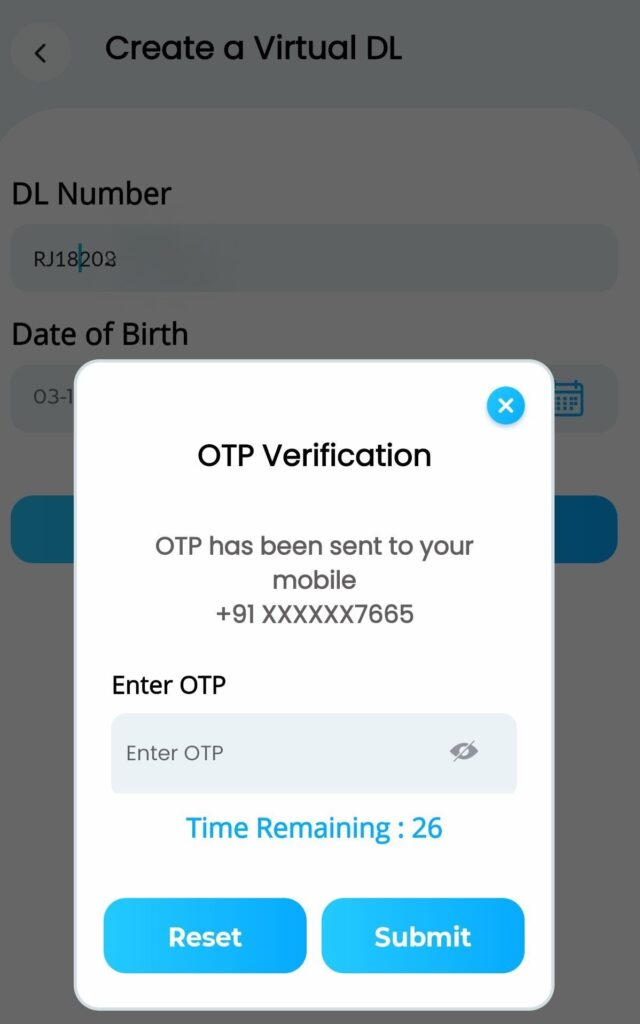
Congratulations! Your Virtual DL has now been successfully downloaded.
Note: You can show this Virtual DL during Traffic Police checking.