The mParivahan mobile app was launched by the Ministry of Road Transport and Highways (MoRTH). The mParivahan app aims to simplify and simplify vehicle and license-related services.
mParivahan offers services like Virtual Driving Licence and Virtual RC.
mParivahan Related Services
Digital RC and DL, Challan Information, and other services are available on the mParivahan mobile app.

Virtual Driving License
Download Virtual Vehicle RC and Driving license.

Vehicle Details
Check vehicle owner’s name, vehicle age, and many information from the vehicle’s registration number.

Other Services
Check your vehicle’s insurance, RTO Office Helpline Number, and other information.
What is mParivahan?
mParivahan is a mobile application available on both Android and iOS. It is a useful app for vehicle drivers.
With the mParivahan app, vehicle owners can download their DL and RC and obtain information about their vehicle. DL and RC documents downloaded from this app are considered equivalent to the original documents and are legally valid.
mParivahan App Objective
In today’s digital age, the mParivahan App provides vehicle and license-related services to citizens.
the main objective is to:
- Vehicle owners do not need to carry physical documents (such as RC, DL).
- Get details of any vehicle, accident, or stolen vehicle by entering the vehicle registration number.
- If you are planning to buy a second-hand car, you can verify the car’s age, owner name, registration date, and fuel type details.
- Other services related to the Ministry of Transport are also available.
Download and Use the mParivahan App
mParivahan App Download
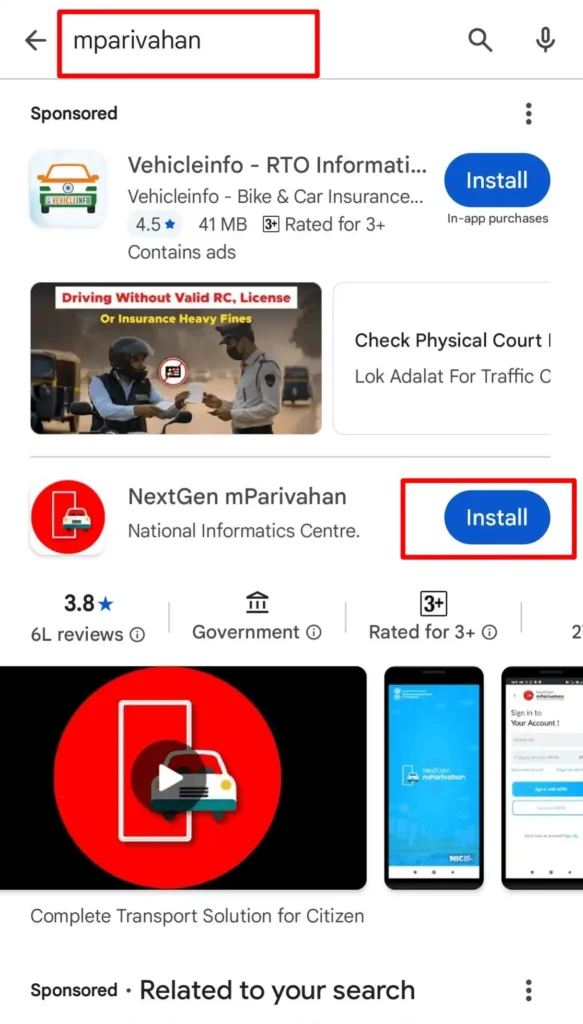
- First, go to your mobile’s App Store or Google Play Store.
- Search for mParivahan.
- Then download the mParivahan Mobile App, shown at the top.
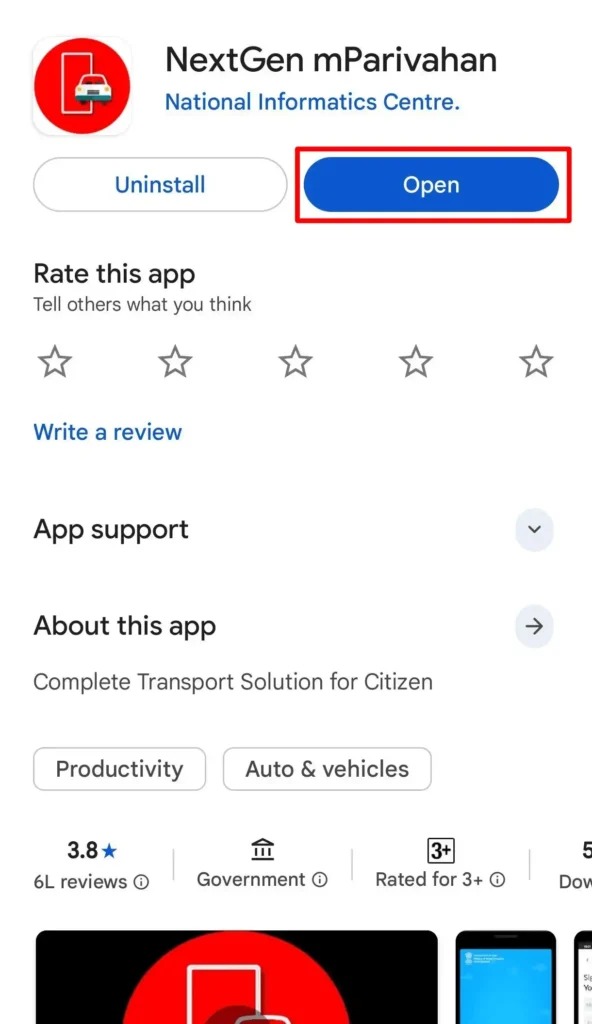
- Once the mParivahan App is downloaded, open it and start using it.
Create an Account on mParivahan App
After downloading the mParivahan App, users must sign up/sign in to the mParivahan App.
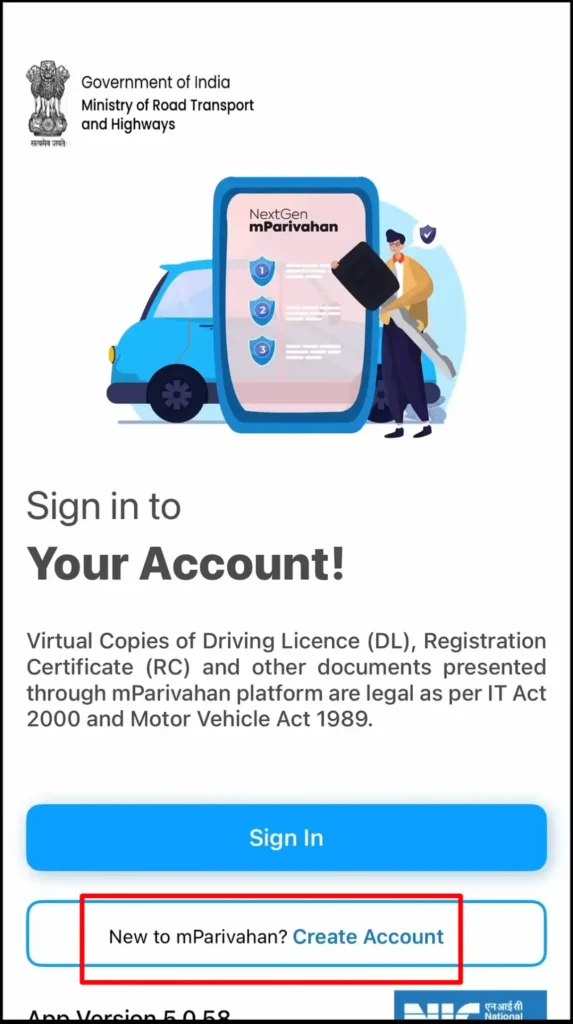
- Open App: First, open the NextGen mParivahan App.
2. New to mParivahan: If you don’t have an account on mParivahan and want to create a new account, click New to mParivahan? Create Account.
3. Fill Personal Details:
- Select your state
- Your name (As per RC)
- Mobile No.
- Set 6-Digit Security MPIN and Confirm MPIN
- Email ID
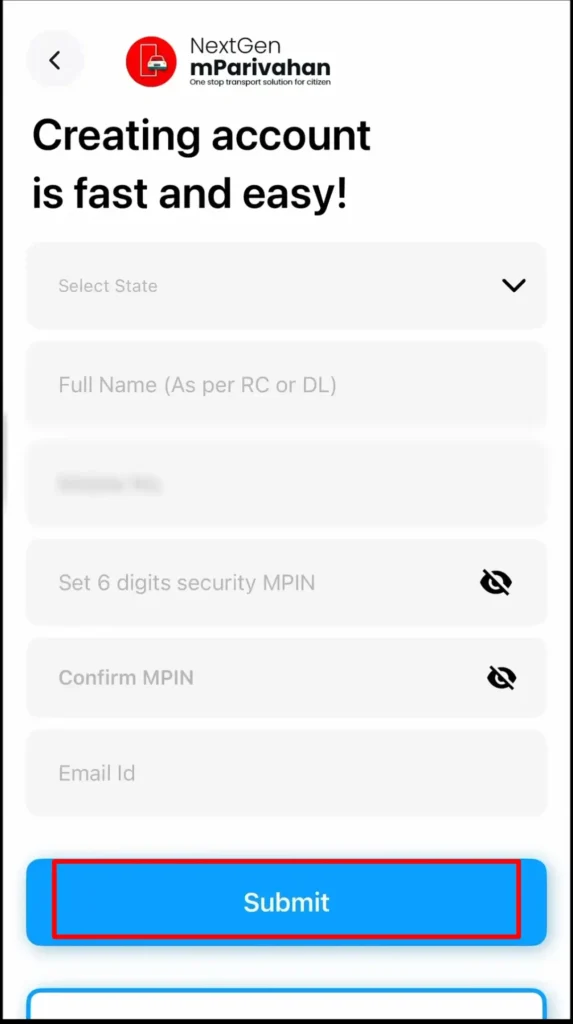
4. Verify Mobile No.: An OTP will be sent to your mobile number. Enter the OTP and then click the Verify/Submit.
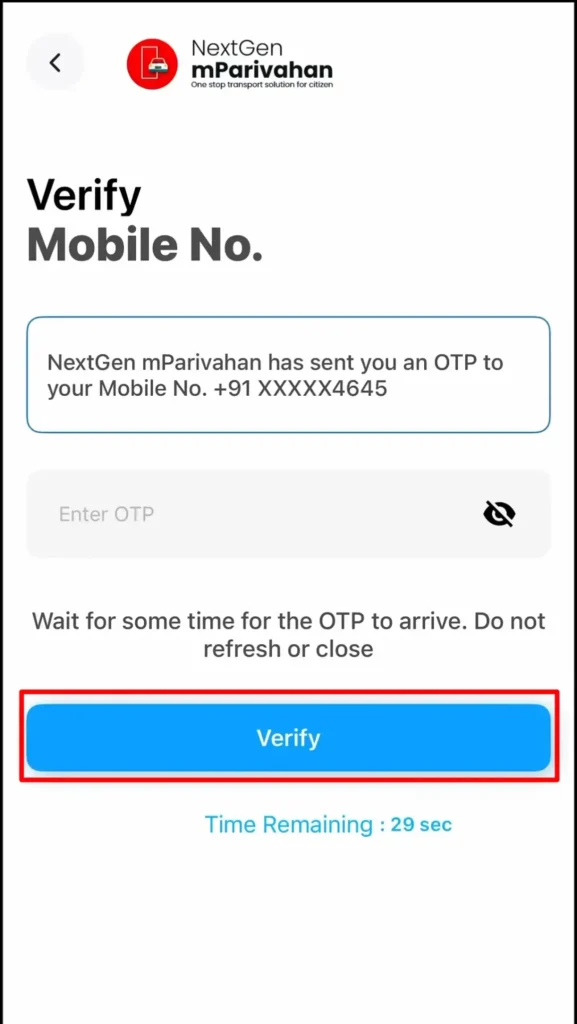
5. Sign in to your Account: Sign in to your mParivahan account, enter your “6-Digit Security MPIN” and login.
6. Ready to Use: You can now use the mParivahan App.
Available Services on the mParivahan App
The mParivahan App provides services related to vehicle and driving licenses.
Virtual Driving License (DL)
The mParivahan App allows you to view/download your Driving License and RC digitally.
How to access your Virtual DL
- Open the mParivahan App.
- On the home screen, Click on My Virtual DL.

- Enter your DL Number.
- Enter your Date of Birth.
- Click on Add my Driving Licence.
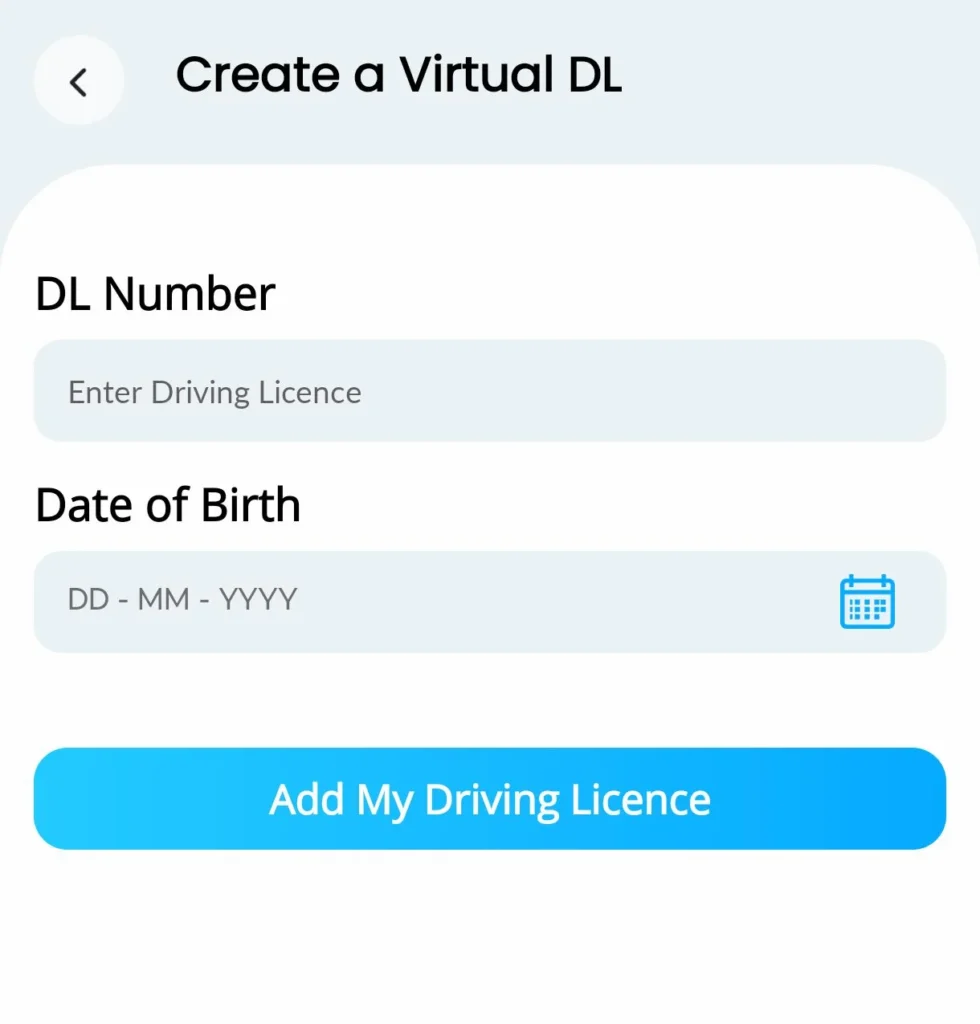
You can now view your Driving Licence.
Note: You can now access your Driving Licence at any time from the “My Virtual DL” option in the service.
Virtual Registration Certificate (RC)
The mParivahan App allows users to access their Registration Certificate (RC).
- Open the mParivahan App.
- click My Virtual RC from the home screen.
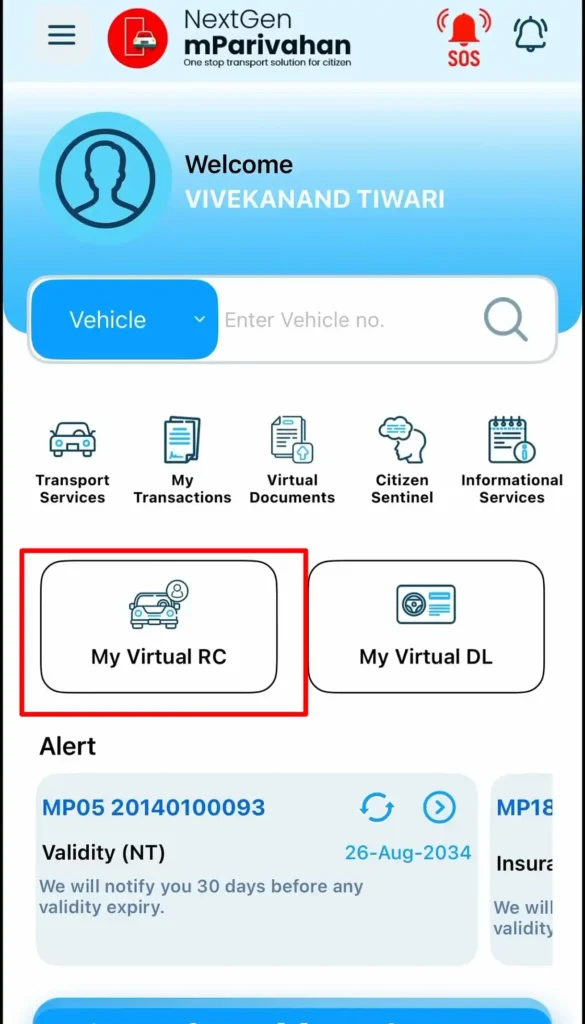
- Enter vehicle information:
- Enter Vehicle No.
- Enter Chassis No. (last 5 digits).
- Enter Engine No. (last 5 digits).
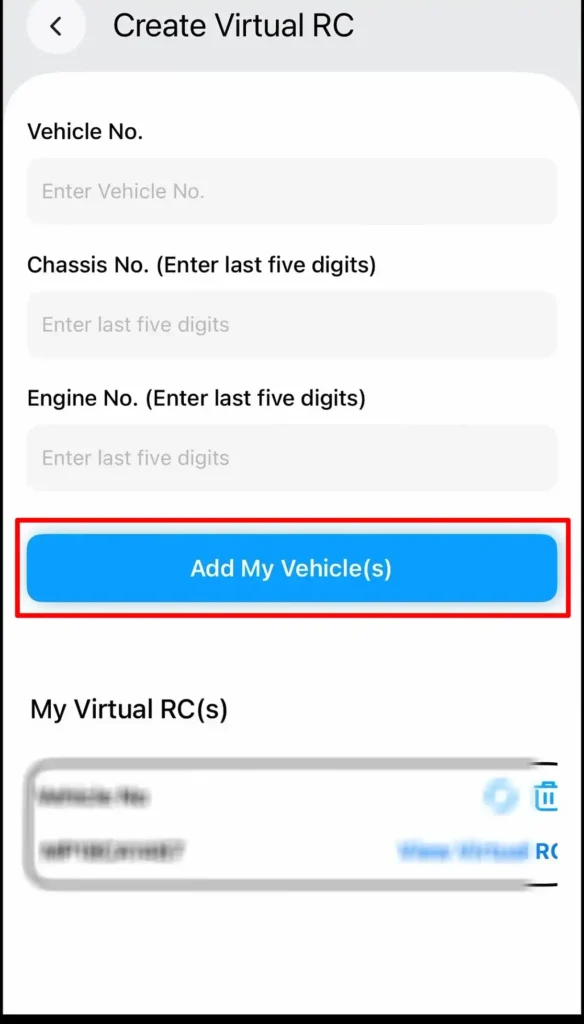
- access Virtual RC, click on Add my Vehicle(s), after this you can download your Virtual RC.
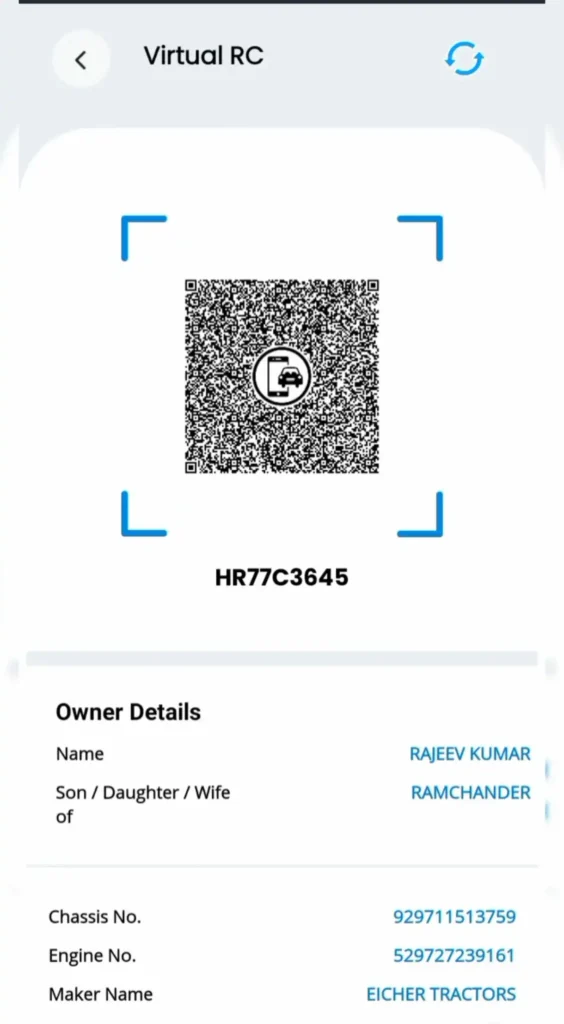
Note: Access your Registration Certificate (RC) at any time in the future from the “My Virtual RC” section.
mParivahan Services
These services related to DL, RC and Challan are available on the mParivahan App.
| Services Type | Services |
|---|---|
| Driving Licence Services | Renewal of DL Change of Address in DL Replacement DL International Driving Permit Issue Duplicate DL Access your Virtual DL |
| Challan Services | Challan Status Payment your Challan Download Challan Receipt |
| Registration Certificate (RC) Services | Issue of Duplicate RC Change of Address in RC Access your Virtual RC |